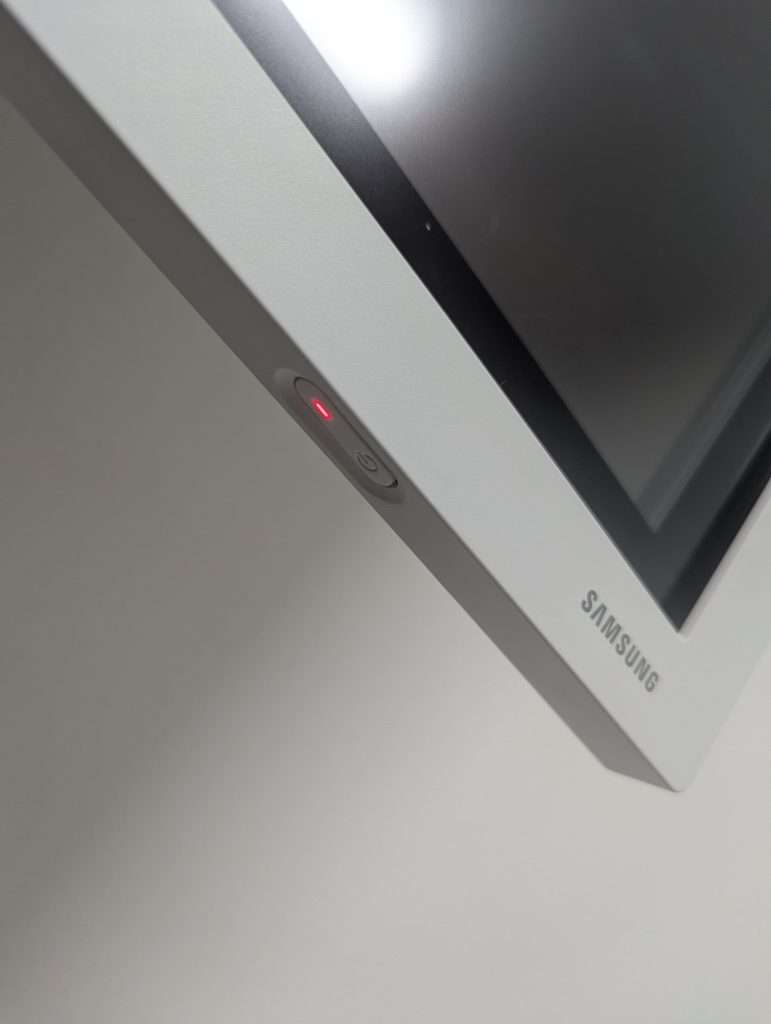
Turn on the screen. Press and hold the button for a few seconds till it turns on.
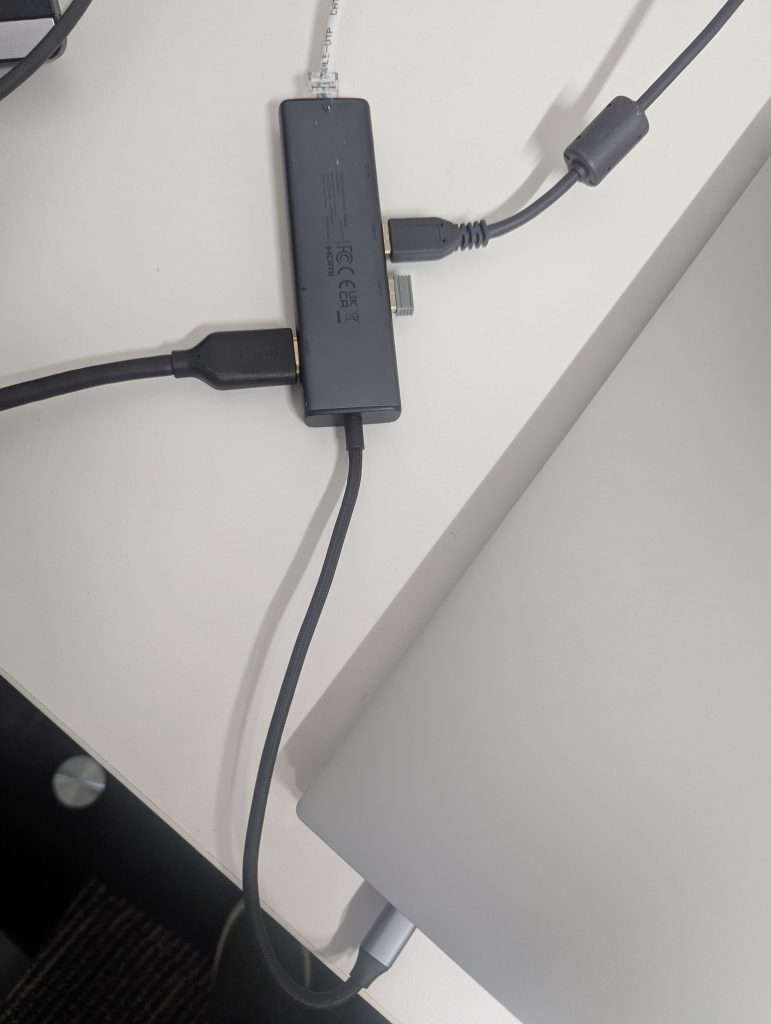
Connect the adapter on desk to your laptop.
Leave your laptop on the desk. Don’t pull the cable over to the larger table.
Make sure your laptop is on and not asleep.
The screen should connect automatically. If it doesn’t you need to change the input. Instructions can be found here
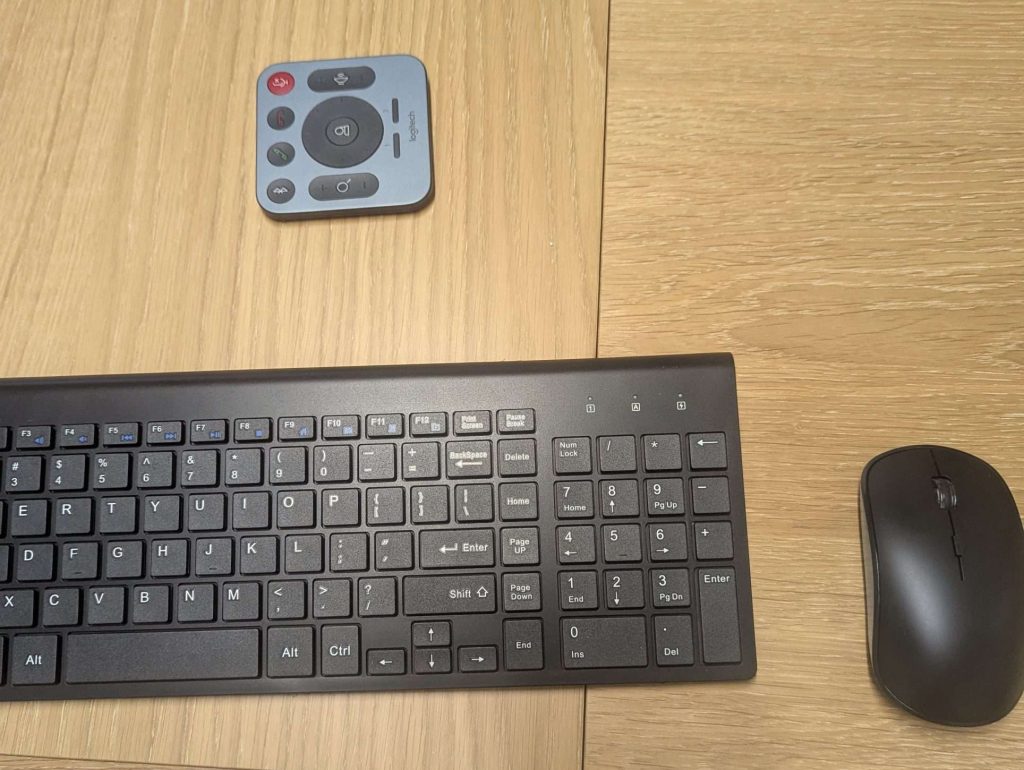
Leave your laptop on the desk and use the wireless keyboard and mouse at the table.
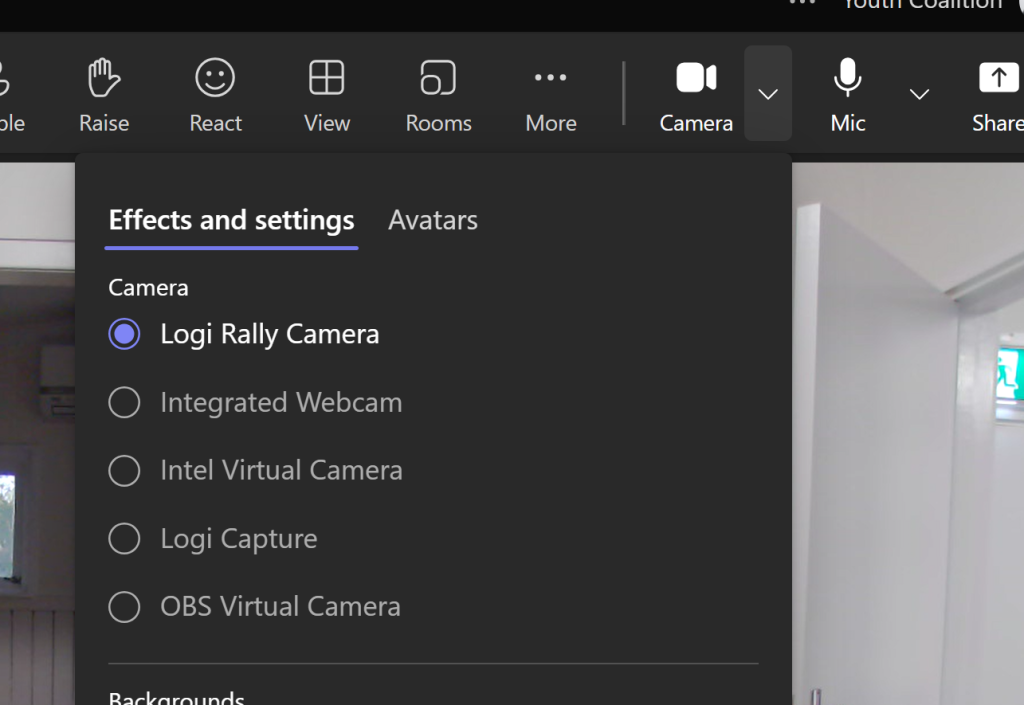
Open teams meeting and select Logi Rally Camera.
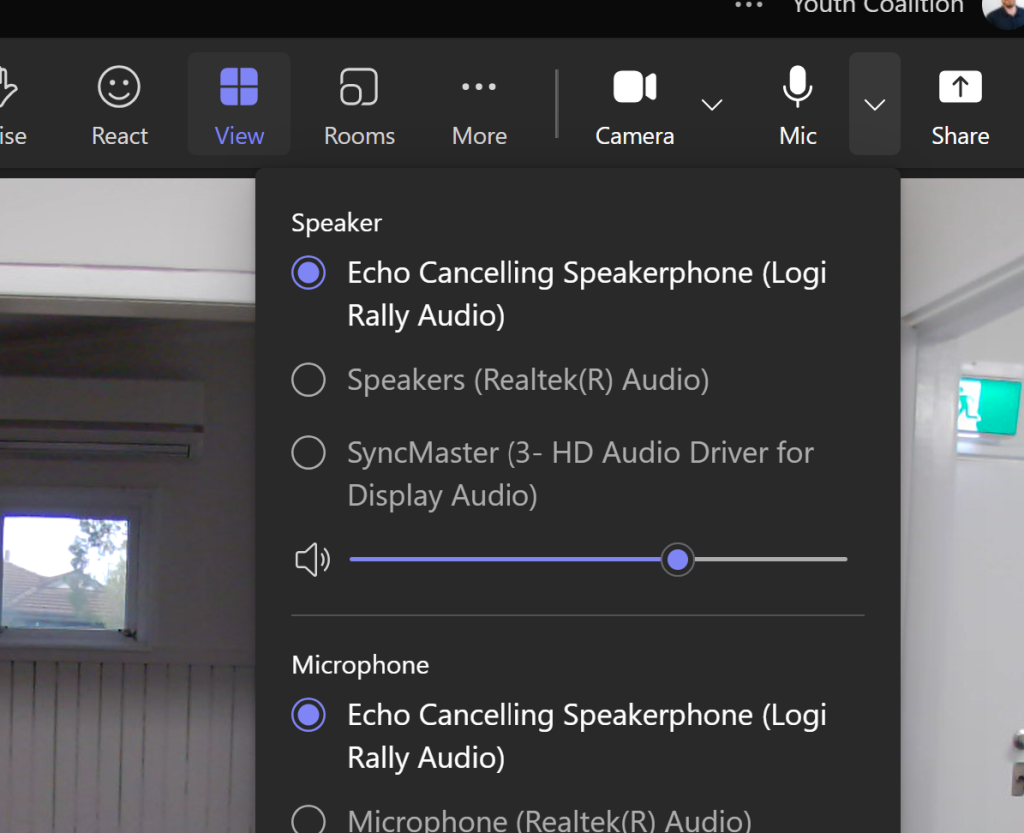
Select “Echo Cancelling Speakerphone (Logi Rally Audio)” as the mic.
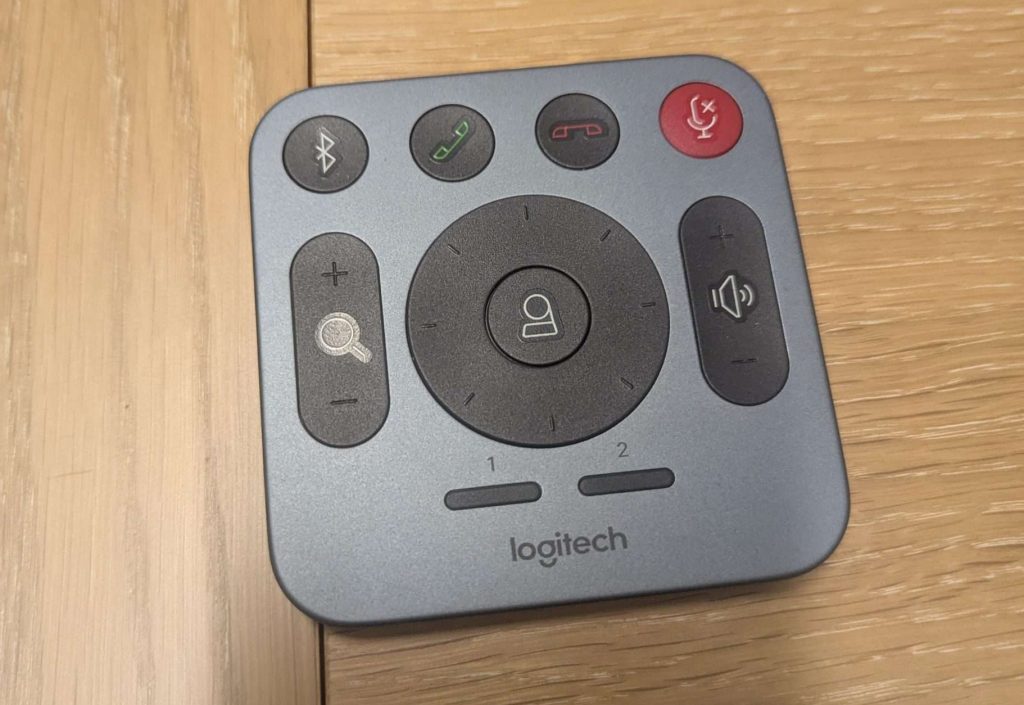
Use the remote to adjust the camera and volume.